One AI platform for your whole company
Connect any model provider, let your team build agents, see every token you spend, and get answers grounded in your own company knowledge — all from one system. Run it in our cloud, or on your own server when the data cannot leave the building.
Source on GitHub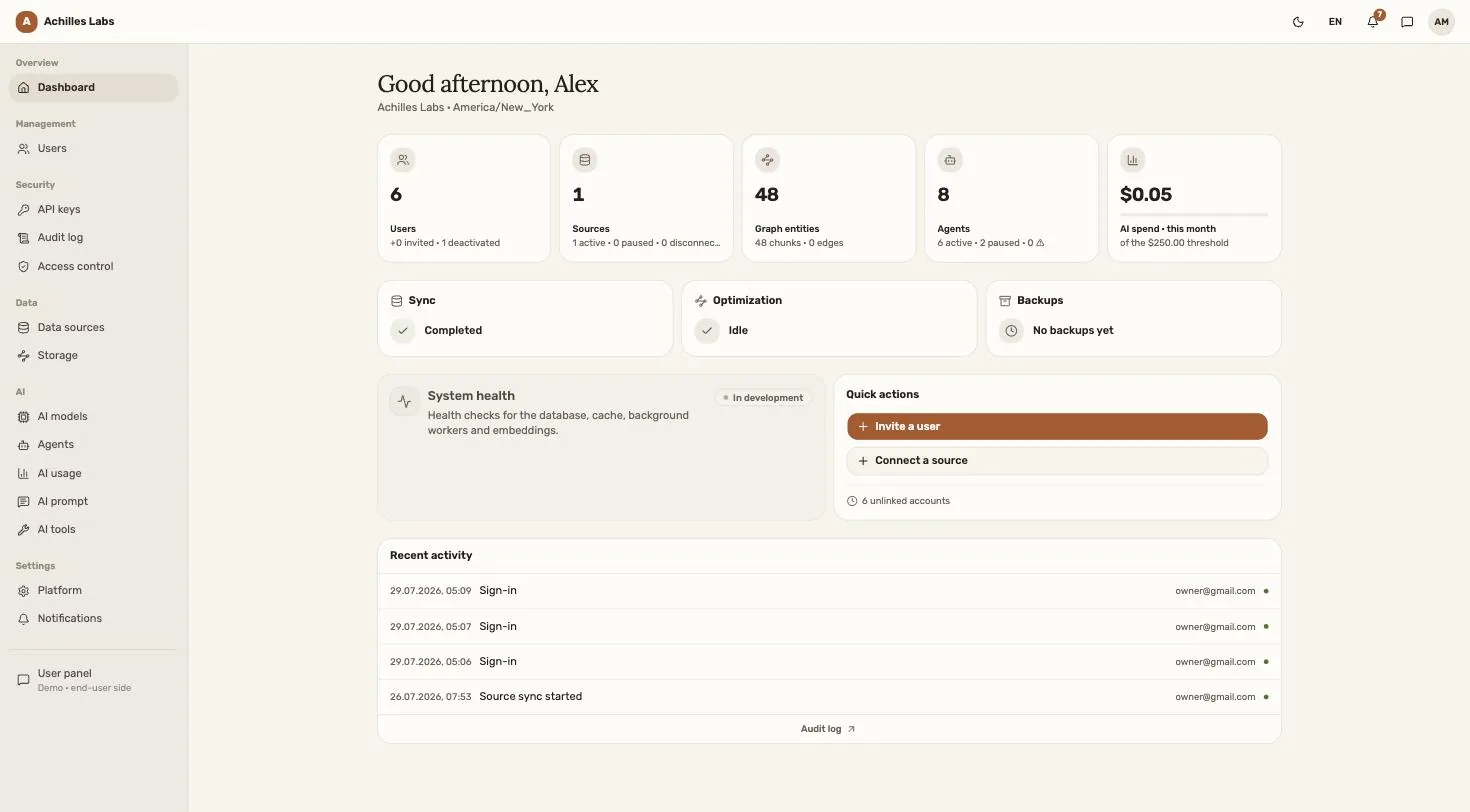
AI in most companies grows without a plan
Tools arrive one at a time. One team pays for one vendor, engineering uses API keys from another, support runs a chatbot nobody documented. Agents are the messiest part: people create them in random tools and separate accounts, and nobody knows how many are running, what data they read, or what they cost.
Meanwhile the company knowledge that would make all of it useful stays in Confluence and Jira, where the models never look. This platform puts all of it in one place — one gateway, one bill, one knowledge base, one set of rules.
What the platform does
-
01
One gateway for every AI provider
Anthropic, OpenAI, Google, xAI — or a local model on your own hardware. Your keys, your rules, one place to turn models on and assign them to jobs.
-
02
Token spend you can actually see
Usage and cost by person, by model and by agent. Set limits before the bill grows, and get an alert when spending crosses a threshold you choose.
-
03
Agents your team builds, admins govern
Employees create agents in the browser, with no code. The administrator sees every agent in the company — who owns it, what it reads, what it costs — and can pause any of them.
-
04
Company knowledge in one base
Connectors pull Confluence, Jira, GitLab and Slack into a single knowledge base, with hybrid search and a graph of connections on top of it.
-
05
Answers that cite their source
Every answer links back to the document it came from, and shows a person only what they are already allowed to open.
-
06
One way in from everywhere
Web app, Slack, Telegram, Mattermost, an MCP endpoint for AI assistants, and a public API for your own tools.
The same instance you can open right now


Built to be run by one person
- One server, one command
- Docker Compose brings up the whole stack. No managed cloud services required.
- PostgreSQL and nothing else
- Vectors, full-text search and the knowledge graph live in one database with pgvector. No separate vector store, no graph engine to operate.
- Works with no internet
- Point it at a local model and nothing leaves your network. The embedding service runs locally too.
- Open source, AGPL-3.0
- Read the code, change it, run it. No hidden edition, no per-seat licence.
What people ask first
Q.01 What is this, in one sentence?
One AI platform for a company: your model providers, your agents, your AI spending and your company knowledge in a single system — running in our cloud, or on your own server if you need it there.
Q.02 Can it run completely offline, with no external calls?
Yes. Connect a local model instead of a cloud provider and the platform makes no outside calls. The built-in embedding service also runs locally, so documents never leave your network.
Q.03 How do I see how much each employee spends on AI?
Usage is recorded for every request and rolled up by person, by model and by agent. You can set token limits for the company and receive an alert when spending crosses a threshold you choose.
Q.04 Which systems can it read company knowledge from?
Confluence, Jira, GitLab and Slack out of the box, plus a generic HTTP connector and inbound webhooks for anything else. Documents keep the access rights they had in the source system, so an answer never shows a person something they could not open themselves.
Q.05 Do I need a vector database or a graph database?
No. Vectors, full-text search and the knowledge graph all live in one PostgreSQL database with the pgvector extension. That means one database to back up and one thing to operate.
Q.06 What does it cost?
The platform is free and open source under AGPL-3.0. You pay for the server it runs on and for whichever model provider you connect — or nothing at all, if you run local models.
Q.07 What do I need to run it?
One Linux server with Docker. Copy the example environment file, start Docker Compose, open the browser and create the first account. The Get Started guide walks through it step by step.
The whole thing is written down
- Overview Why the platform exists — the AI hub and company knowledge, with worked examples.
- Get Started From an empty server to a running platform, step by step.
- Architecture An interactive map of the system: every module, data flow and screen, designed before it was built.
- Vision Where this is heading: corporate memory and agents that act on their own.
- Source code The whole platform on GitHub, under AGPL-3.0.
See it running
A demo company with a connected knowledge base and agents already working. Nothing to install.